
Telegram Group Management: The Complete Guide for 2026
Everything you need to know about managing Telegram groups professionally. From first setup to automation, analytics, monetization, and scaling to thousands of members.
Live directory
Browse Metricgram's curated Telegram directory to find active communities by category and language, and see how leading groups position their listings.
Open directoryWhat Is Telegram Group Management?
Telegram group management is the discipline of organizing, moderating, growing, and maintaining a Telegram group so it remains valuable and active for its members. It encompasses everything from setting rules and onboarding new members to tracking analytics, automating workflows, and monetizing your community.
If you run a group with more than a few dozen members, you're already doing group management — whether you've formalized it or not. The question is whether you're doing it efficiently, or whether the group is managing you.
This guide covers everything you need to know, from the fundamentals to advanced strategies used by professional community managers running groups with tens of thousands of members.
Why It Matters More Than Ever
Telegram groups can support up to 200,000 members, but a large capacity does not mean every community needs the same operating model. A small peer group may need clear norms and a backup moderator; a busy public group may need join review, a moderation schedule, and topic structure. Plan around the volume and sensitivity of your own conversations rather than unsupported member-count multipliers.
Good systems make the work visible: members know where to ask for help, admins know who handles each issue, and recurring tasks do not depend on one person's memory. Start with the problems your members actually experience, then add tools only when they address those problems.
Ready to improve your Telegram group? Start your 14-day Metricgram trial.
Start free trialPart 1: The Fundamentals
Group Structure
Before anything else, decide what kind of group you're running:
Public groups — People can open the group by its username, and it may appear in Telegram search. Admins can still require approval before someone joins.
Private groups — No public username; people generally need an invitation or invite link, subject to member permissions and any approval step. Revoke or replace links when you no longer want them to work.
Topic-based groups — Use Telegram's Topics feature when recurring conversations need their own spaces. Choose topics based on how members look for information, not a fixed group-size threshold.
Groups with channels — Pair your group with a Telegram channel. The channel handles announcements (one-way broadcast), the group handles discussion (two-way conversation). This separation keeps things organized.
Rules and Guidelines
This is the foundation. Without clear rules, every group eventually devolves into chaos.
Rules that actually work:
- Keep it short — 5-7 rules maximum. Nobody reads a wall of text.
- Be specific — "Be respectful" is vague. "No personal attacks, insults, or harassment" is clear.
- State consequences — "First offense: warning. Second: 24-hour mute. Third: ban."
- Pin them — But also send them via welcome message, because nobody reads pinned messages in active groups.
Good rule categories:
- Content rules (what's on-topic, what's not)
- Behavior rules (respect, language, personal attacks)
- Promotion rules (self-promotion policy, spam)
- Media rules (links, images, forwards)
Admin Structure
Assign people by responsibility, not by a universal member-count formula. Name an owner for policy and access decisions, moderators for member reports and rule enforcement, and a backup for times when the primary admin is unavailable. Use Telegram's individual admin rights to grant only the permissions needed for each job, and review access when someone's role ends.
Member Onboarding
First impressions set expectations, but there is no single onboarding flow that fits every group. A useful welcome explains the group's purpose, points to the rules, and gives a low-pressure next step such as reading a pinned guide or introducing yourself.
A practical onboarding flow:
- Check that the group name, description, and visible history match what an invitee expects.
- Welcome the member in the group and point to the rules or a starter resource.
- Invite a response only if conversation is part of the group's purpose.
- Make it clear how to contact a moderator if something is unclear.
If you send a private welcome, check the delivery rules first. Metricgram sends private welcomes for joins to a private group through a Metricgram invite link, or to a public group with Approve New Members enabled; other join paths may not support that direct message.
Part 2: Automation
Once your fundamentals are solid, automation is how you scale without burning out.
Welcome Messages
Automatic messages sent when someone joins. Two types:
- Group welcome — Posted in the group for everyone to see. Creates social proof ("welcome, Sarah!") and reinforces the onboarding experience.
- Private welcome (DM) — Sent directly when Telegram's join path makes the member's private chat available to the bot. Use it for instructions or links that need to reach the member directly.
Use a group welcome for information every member should see. Add a private welcome only for supported join paths: a private group joined through a Metricgram invite link, or a public group with Approve New Members enabled.
Auto-Replies (Keyword Triggers)
Configure keywords that trigger automatic responses. Every FAQ-type question should have a trigger.
Start with a few common questions, use specific trigger phrases, and check whether each reply still answers the question accurately. An automatic reply can point members to a resource or explain the next step; it should not make promises that depend on an admin reviewing an account or payment.
Scheduled Messages
Consistency builds communities. Scheduled messages let you maintain a regular posting cadence without being online 24/7.
A minimal content calendar:
- Monday: Discussion prompt or question
- Wednesday: Resource, tip, or tutorial
- Friday: Wins celebration or weekend challenge
Write all three on Sunday evening. Schedule them. Done. Total time: 30 minutes per week.
AI-Powered Summaries
When a backscroll is too long to review, an AI summary can help an admin find topics to inspect. Treat it as a navigation aid, not a complete record: verify decisions, names, and unanswered questions in the source messages before acting. In Metricgram, summaries are based on group messages recorded for the selected period, not private conversations.
Custom Bots
Telegram lets you create a bot with a name and avatar that fit your community. If you connect a custom bot to a management tool, check which actions it supports and which group permissions it needs; do not assume every feature behaves identically through every bot. Test welcomes, replies, scheduled posts, and any other enabled workflow before relying on them.
Part 3: Analytics and Growth
Essential Metrics
Choose a small set of measures that answer a specific operating question:
- Member change — joins and departures over the same period.
- Participation — members who wrote, message volume, and reactions.
- Conversation balance — whether questions receive a useful response; define a response-time measure yourself if you need one.
- Source quality — joins attributed to separate invite links, where available.
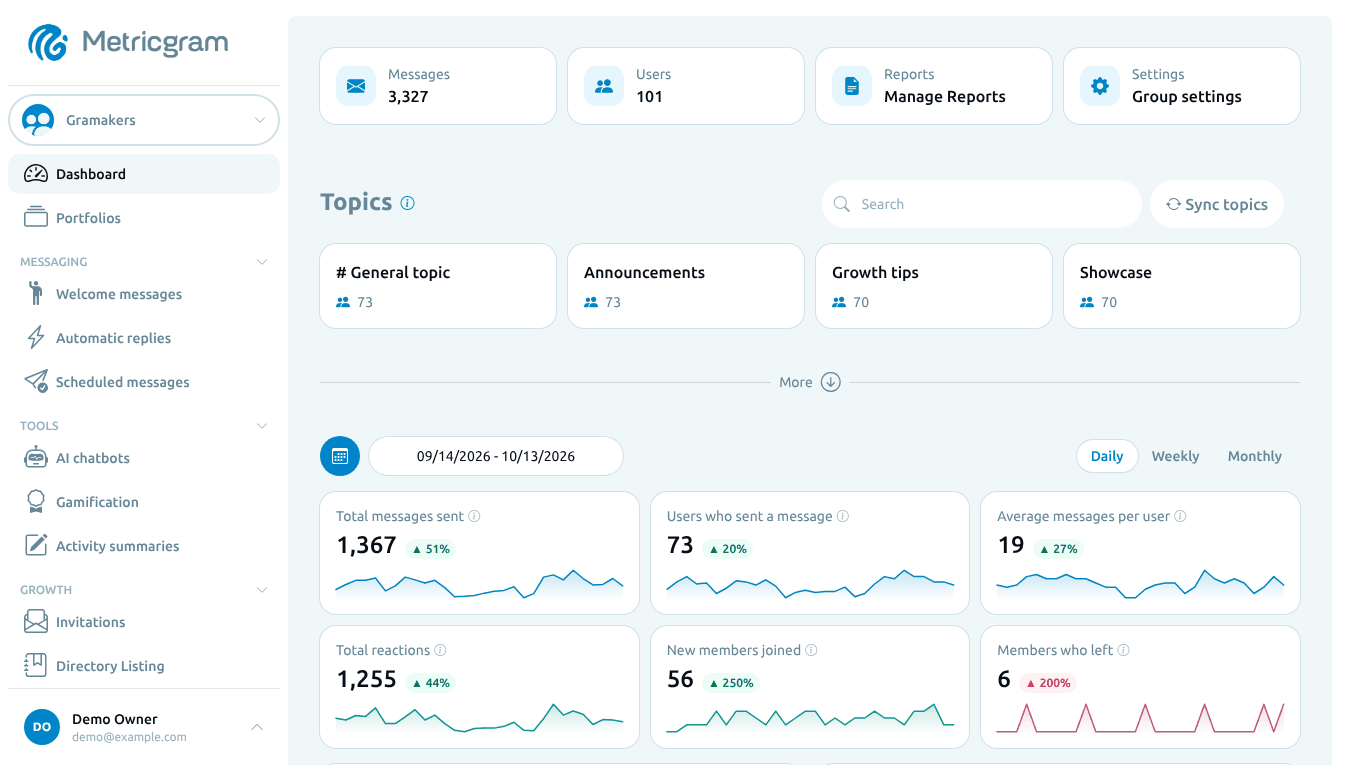
These measures describe activity, not satisfaction or retention by themselves. Metricgram's dashboard can show recorded messages, writers, reactions, joins, departures, and activity patterns after the bot is connected; it does not reconstruct pre-connection history.
Growth Strategies
Organic growth:
- Create shareable content that members forward to others
- Run challenges or events that incentivize invites
- Cross-promote in related communities (with permission)
- Leverage your Telegram channel to funnel members into the group
Content-driven growth:
- Blog posts that target relevant SEO keywords
- Social media presence that points to your Telegram
- YouTube tutorials or podcasts that mention your community
- Guest appearances in related communities
Retention:
- Ask members why they joined and what would make the group useful to them.
- Look at join, departure, and participation trends together; each metric tells a different part of the story.
- Use gamification only when points or rankings support the community's purpose.
Gamification
One of the most powerful tools for group engagement:
- Points for messages, reactions, daily activity
- Streaks for consecutive participation days
- Leaderboards for competitive motivation
- Rewards for accumulated points
Gamification can make contribution visible, but it does not guarantee that members will return. Set clear rules for points, avoid rewarding volume for its own sake, and review whether rankings encourage the behavior the group values.
Part 4: Monetization
Subscription Models
| Model | Often suits | Decision to make |
|---|---|---|
| Monthly | Ongoing communities | What access remains if a payment fails or is canceled? |
| Annual | Members who prefer one renewal | How will you handle refunds and renewal reminders? |
| Fixed-term | Cohorts, courses, or a defined program | What happens when the term ends? |
| Tiered | Communities with distinct levels of support | What concrete benefit distinguishes each level? |
Automated Access Control
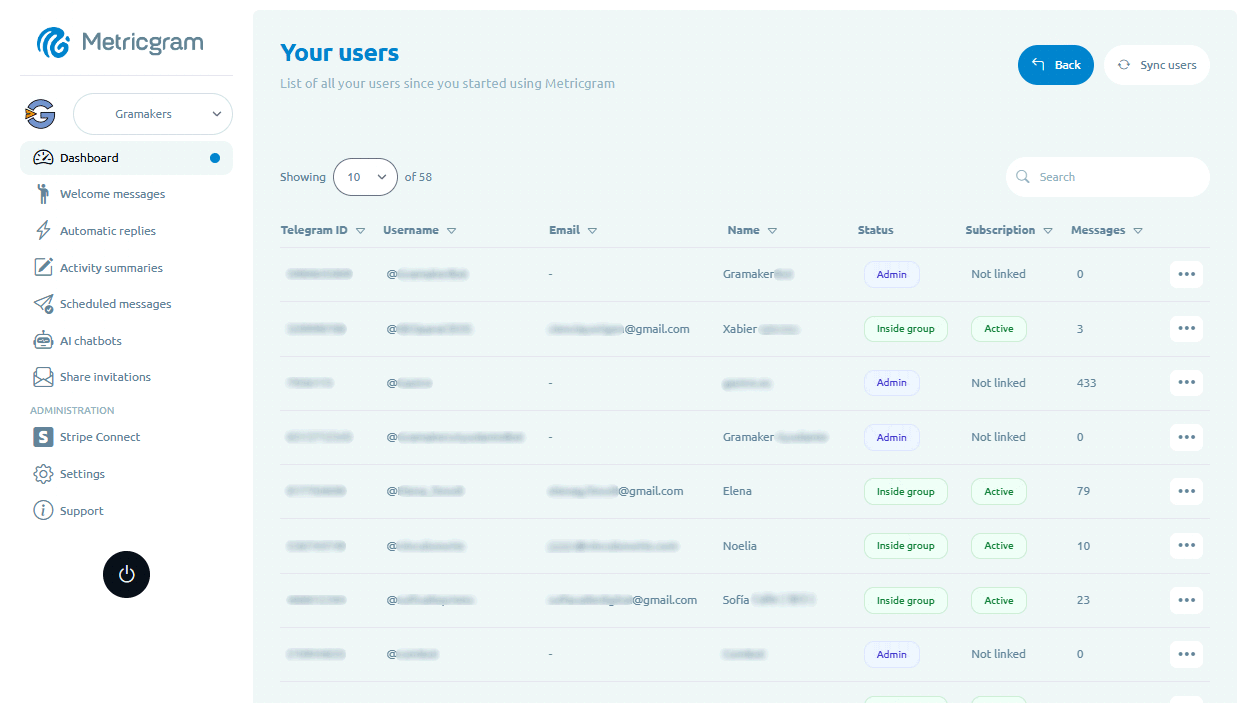
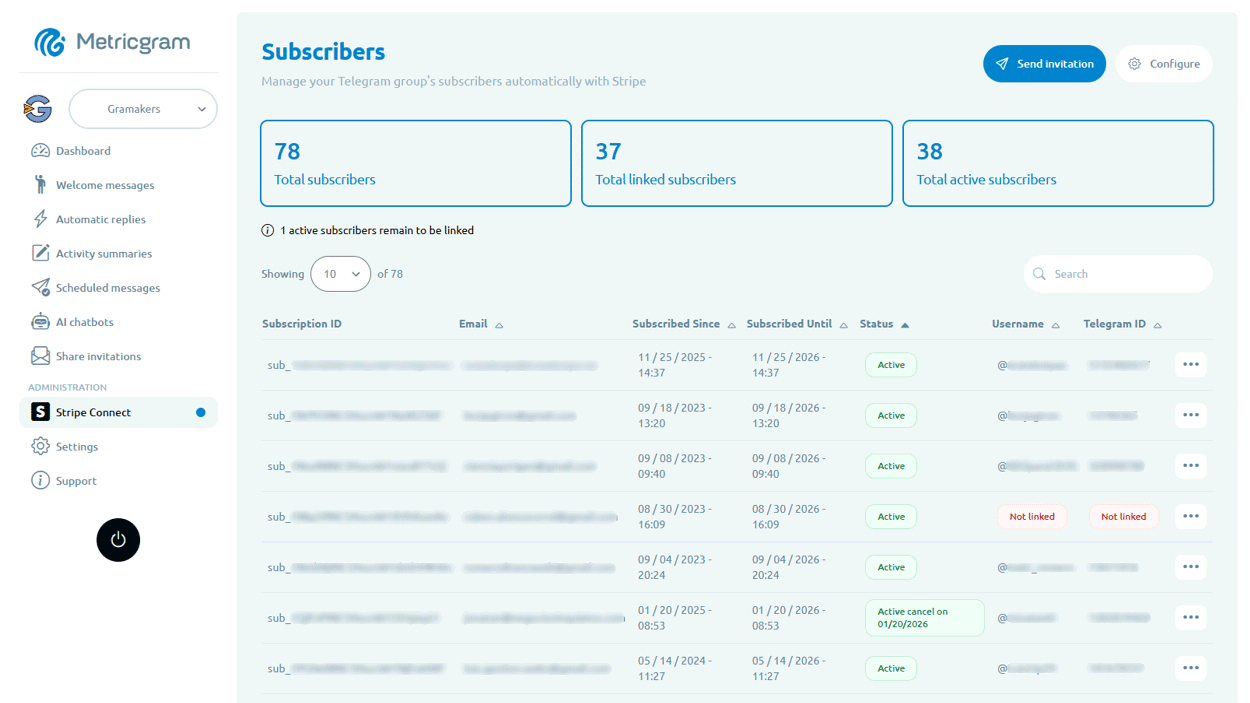
Access automation depends on linking a payment record to the right Telegram user and configuring the group's access rules. With Metricgram, Stripe Connect syncs subscription data; the subscriber still needs to link their Telegram account, and invitations or removals follow the group configuration and any grace period. Stripe remains the place to manage checkout, invoices, refunds, and payouts. Test the complete join and cancellation path before promoting paid access.
Pricing Strategy
Start lower than you think. It's easier to raise prices than to lower them. Test with a small cohort, demonstrate value, and increase pricing for new members over time.
Review cancellations alongside member feedback, renewal reasons, and the support you provide. A churn percentage alone cannot tell you whether a price is too low or whether the offer, onboarding, or audience fit needs work.
Part 5: Tools
The right tools make professional group management possible. Here's what to look for:
- Unified dashboard — Everything in one place, not 8 different bots
- Analytics — Real metrics beyond message counts
- Automation — Welcome messages, auto-replies, scheduling
- Payment integration — Stripe Connect for subscription management
- AI capabilities — Chatbots, summaries, smart features
- Gamification — Points, rewards, leaderboards
- Custom branding — Your own bot, not a generic third-party tool
Metricgram combines all of these into a single platform built specifically for Telegram group management.
Getting Started
Whether you're starting a new group or leveling up an existing one, here's your action plan:
Week 1: Set up fundamentals — rules, welcome message, 5 auto-replies
Week 2: Start tracking analytics — review metrics every Monday
Week 3: Launch scheduled content — 3 posts per week
Week 4: Add gamification — points, leaderboard, first reward
After one month, you'll have a system that runs itself for the routine stuff, data that guides your decisions, and engagement that's measurably improving.
The best time to systematize your group management was when you started. The second best time is right now.
Start Metricgram's 14-day free trial — no credit card is required. After the trial, the account pauses unless you choose a paid plan; your data remains preserved.
Ready to manage your Telegram group with Metricgram?
Automate tasks, track analytics, and grow your community with a 14-day free trial. No credit card required.
Start free trialGet weekly Telegram community tips
Join community managers who receive our best tips, guides, and product updates.
You may also like
Telegram Subscription Bot: How To Sell Access Without Manual Admin Work
Learn what a Telegram subscription bot should do, how payments and invite links fit together, and how to evaluate automation for a paid Telegram group or channel.
Telegram For Educators: How To Run Cohorts, Student Communities, And Office Hours Without Replacing Your LMS
Telegram is a strong fit for educators when it is used as the live layer around a course or training business. This guide explains how to use it for cohorts, student communities, office hours, and support without turning it into a substitute for your LMS.