
Telegram Group Dashboard
Review the messages, member activity, joins, reactions, and growth Metricgram has recorded for each connected Telegram group.
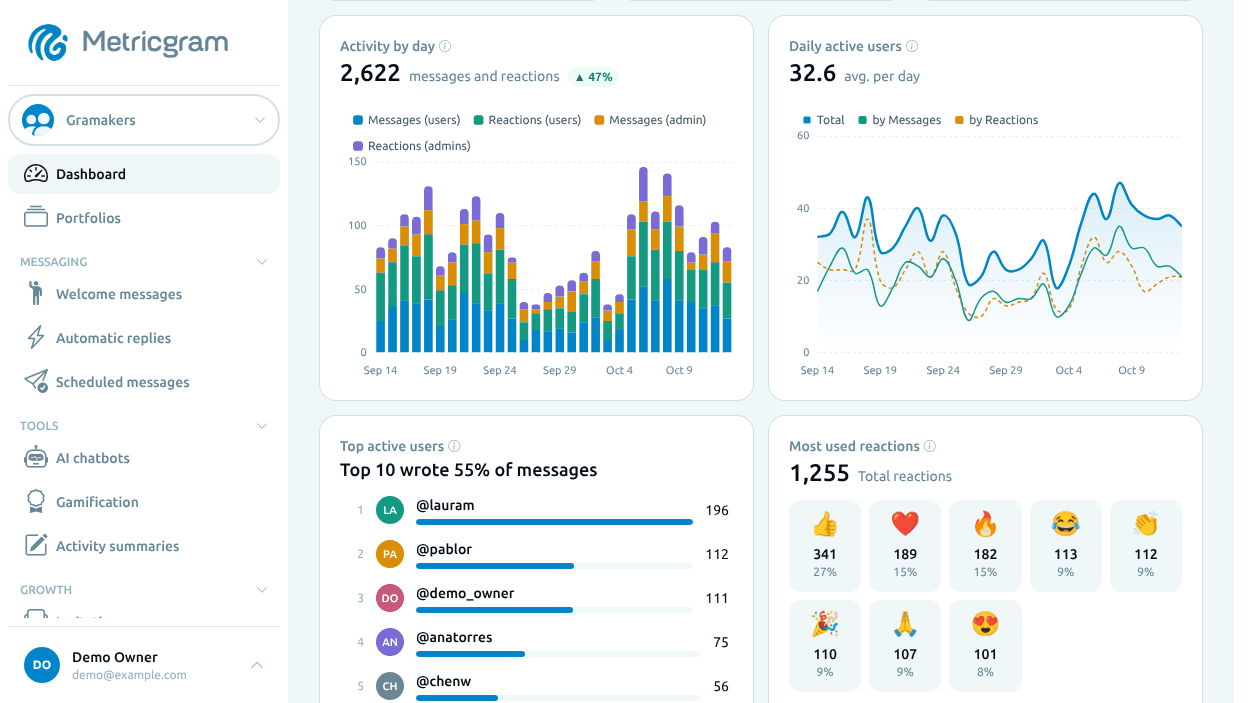
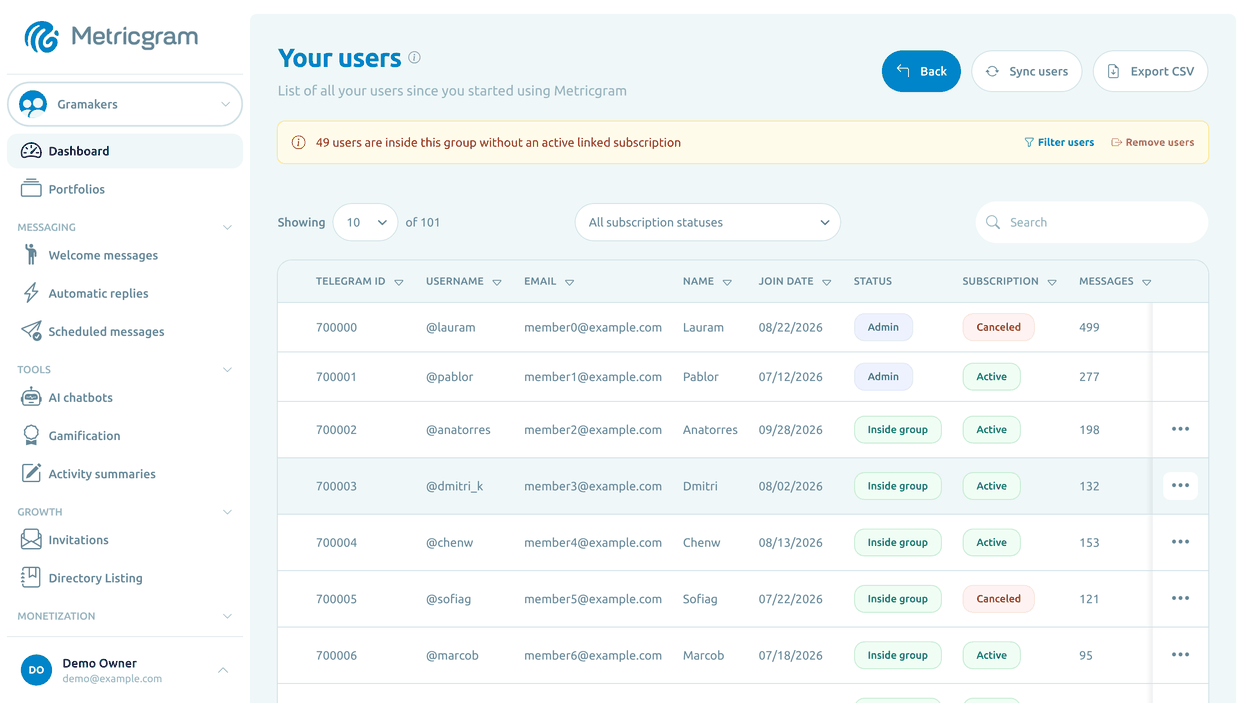
Group Activity Metrics
Review recorded messages, active members, joins and departures, reactions, and activity patterns. Use the available charts to compare periods and decide what to investigate next.
Member Activity Tracking
Activity by Hour & Day
Joins and Departures
Multiple Connected Groups
CSV Downloads
Frequently Asked Questions
What metrics does the Metricgram dashboard track?
Can I manage multiple Telegram groups from one dashboard?
How often is the dashboard data updated?
Can I export my group data?
Related Features
Daily Reports for Telegram
Review the analyses Metricgram prepares about recent activity in your group from the dashboard. Reports are saved in Reports; they are not posted to the chat automatically.
Data Export & Reporting for Telegram
Take selected Metricgram data into your own analysis: download member or message table rows as CSV, or print a dashboard or report.
Gamification for Telegram
Make participation visible with points for messages, reactions, daily activity, and streaks. Set caps and rewards around the kind of contribution you want to encourage, then publish rankings on a schedule.