
How to Automate Your Telegram Group (And Get Your Time Back)
Stop spending hours on repetitive Telegram group tasks. Learn how to automate welcome messages, replies, scheduled posts, summaries, and member management with Metricgram.
Live directory
Browse Metricgram's curated Telegram directory to find active communities by category and language, and see how leading groups position their listings.
Open directoryYou Didn't Start a Group to Babysit It
You started your Telegram group to build a community. To share value. Maybe to monetize your expertise or grow your business.
But somewhere along the way, "managing the group" became a full-time job. You're answering the same questions every day. You're manually welcoming new members. You're posting reminders that you forget half the time. You're scrolling through hundreds of messages trying to figure out what happened while you slept.
Here's the thing: almost all of that can be automated. And it takes about 30 minutes to set up.
Let's walk through exactly what you can automate with Metricgram and how each automation saves you real time.
1. Automatic Welcome Messages
The problem: New members join and get nothing. No greeting, no rules, no direction. They feel invisible and many leave within 24 hours without ever posting.
The automation: Set up a welcome message that fires automatically every time someone joins. You can send it to the group, as a private message, or both.
One Telegram rule to know: a bot can only message someone privately after that person has started the bot or sent a request to join. Private welcomes therefore work best in groups that approve members through join requests; everyone else still sees the group welcome.
What to include in your welcome message:
- A warm greeting using the member's first name
- What the group is about (one sentence)
- Link to the rules or pinned message
- How to get help or ask questions
- Any immediate next steps they should take
Real example:
"Hey {FIRST_NAME}, welcome to the community! 🎉 We're all about helping Telegram community managers work smarter. Check the pinned message for our group rules, and feel free to introduce yourself!"
Metricgram replaces variables such as {FIRST_NAME}, {USERNAME} and {CHAT_TITLE} with the member's details when the message is sent.
Time saved: ~2 minutes per new member. If you get 10 new members per day, that's 20 minutes daily — or 10 hours per month of copy-pasting you'll never do again.
How to set it up in Metricgram: Go to the Welcomes section, write your group message and/or private message, toggle it on. Done. Takes under 5 minutes.
Ready to improve your Telegram group? Start your 14-day Metricgram trial.
Start free trial2. Automatic Replies (Keyword Triggers)
The problem: You answer "How do I subscribe?" twelve times a day. You point people to the same resource link over and over. You repeat the rules when someone asks what's allowed.
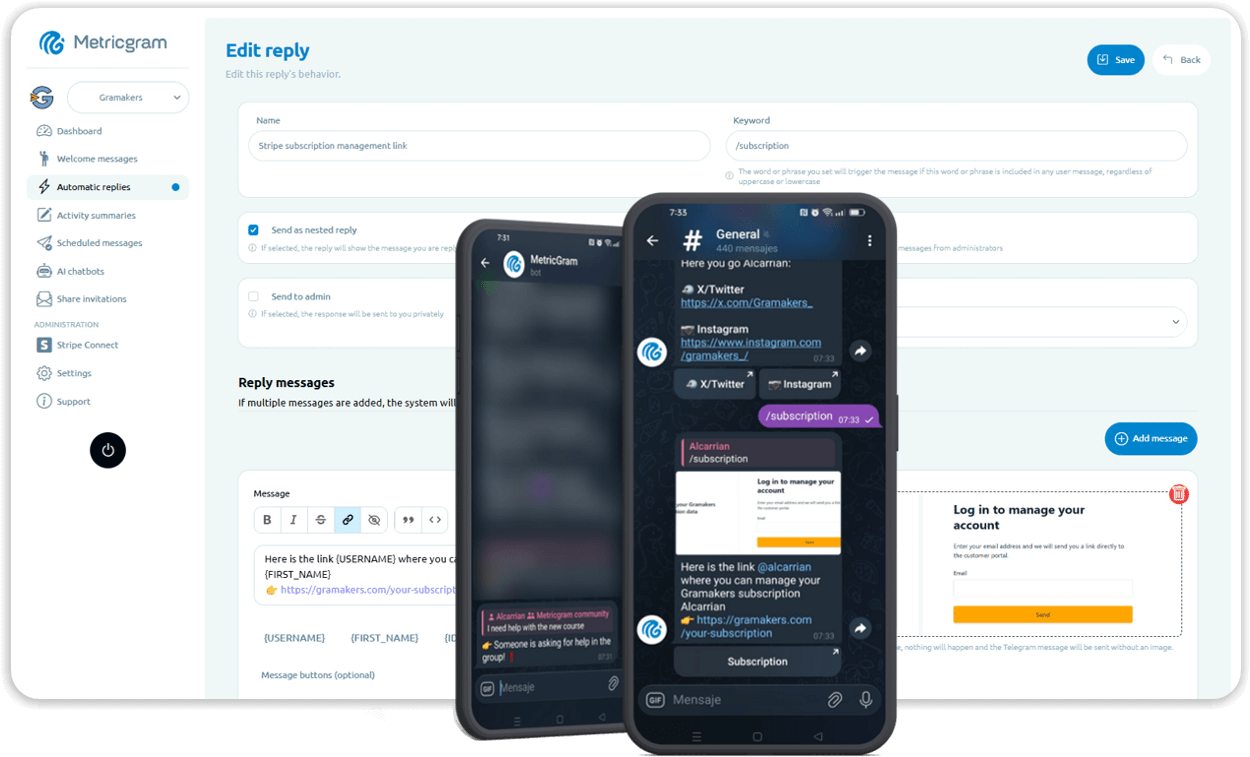
The automation: Define trigger words or phrases. When someone's message contains them, the bot responds instantly with your pre-written answer.
Triggers worth setting up right away:
| Trigger | Response |
|---|---|
| "how to subscribe" / "pricing" / "price" | Your pricing info + signup link |
| "rules" / "guidelines" | Link to pinned rules |
| "help" / "support" | How to get help or contact you |
| "resources" / "docs" / "links" | Links to your key resources |
| "schedule" / "when" | Your posting schedule or event times |
Pro tip: Keep answers short and point to a pinned message or link for the details, so the bot doesn't flood the chat. In groups with forum topics, you can send an answer to a dedicated topic instead of the main conversation. Add two or three variations of the same answer so the bot doesn't sound robotic. For questions that need a person rather than a canned answer, set the trigger to alert you privately instead of replying in the group.
Time saved: Every auto-reply saves you 1-3 minutes of typing + context switching. With 15-20 triggered questions per day, that's 15-60 minutes saved daily.
How to set it up in Metricgram: Go to Automatic Replies, create a trigger with your keywords and choose how they match (exact phrase, all words, or any word). Write one or more responses, then choose where the answer goes: the same topic, the General topic, a specific topic, or a private alert to you. The Basic plan includes up to 50 auto-replies; Pro and Elite have no limit.
3. Scheduled Messages
The problem: You want to post a daily discussion prompt, a weekly roundup, a monthly challenge. But you forget, or you're busy, or you're in a different time zone.
The automation: Write your messages in advance and schedule them. One-time or recurring (daily, weekly, monthly). The bot posts them at exactly the right time.
Content ideas to schedule:
- Monday: Weekly question or discussion prompt
- Wednesday: Share a tip, resource, or case study
- Friday: Weekend challenge or open thread
- Monthly: Community highlight, milestone celebration, or survey
The consistency effect: Groups that post regularly retain more members. When people know there's always something new, they check back. When a group goes silent for days, members mentally check out.
Time saved: Instead of remembering to post every day (and often forgetting), you spend 30 minutes once a week scheduling everything. The rest of the week, it runs on autopilot.
How to set it up in Metricgram: Go to Scheduled Messages, write your message, pick the date/time, set the recurrence if needed (daily, every 7 days, every 30 days, or at the start of each week or month), save. You can also schedule polls, and you can manage and edit all your scheduled messages from one dashboard. For more ideas, see our guide to scheduling messages in Telegram groups.
4. AI-Powered Activity Summaries
The problem: Your group is active. Messages pile up while you sleep, while you're in meetings, while you're living your life. Catching up means scrolling through hundreds of messages trying to spot what's important.
The automation: AI reads every message and generates a summary of key topics, decisions, and discussions. You can set it to run daily, weekly, or monthly.
What summaries include:
- Main topics discussed
- Key decisions or conclusions
- Questions that went unanswered
- Most active discussions
- Notable member contributions
Time saved: Instead of 20-30 minutes of scrolling and reading, you get a 2-minute summary. Every. Single. Day.
How to set it up in Metricgram: Go to Summaries, choose the frequency (daily/weekly/monthly) and the time, toggle it on. The AI does the rest. Summaries are posted to the group, or to a specific topic if your group uses topics, and you can send yourself a preview first. Separately, Metricgram's daily reports analyze the previous day and save suggestions in your dashboard without posting anything to the chat.
5. Gamification (Automated Engagement)
The problem: Your group is going quiet. People read but don't post. The same 5 people carry all the conversations. New members lurk forever.
The automation: Gamification automatically tracks participation and awards points. No manual work — the system counts messages, reactions, and activity streaks on its own.
How it works:
- Members earn points for every message they send
- Points for the reactions they leave on group messages
- Daily bonus points for the three most active members
- Streak multipliers for consecutive days of activity
- Optional daily caps, so nobody can farm points by spamming
- Weekly, monthly, or quarterly rankings posted to the group automatically
- Rewards unlocked when members reach the point levels you set
Why it works: People are naturally competitive. When there's a visible leaderboard and rewards to earn, lurkers start participating. It's not about turning your group into a game — it's about giving people a small, positive reason to contribute.
Time saved: Creating engagement manually (polls, shoutouts, challenges) takes significant effort. Gamification runs on autopilot and creates engagement without you doing anything.
How to set it up in Metricgram: Go to Gamification, configure point values for messages, reactions, and streaks. Set up rewards. Enable the leaderboard. The system handles everything from there.
6. Stripe-Powered Access Control
The problem: You run a paid group. When someone subscribes, you manually add them. When they cancel, you manually remove them. You constantly check who's paid and who hasn't.
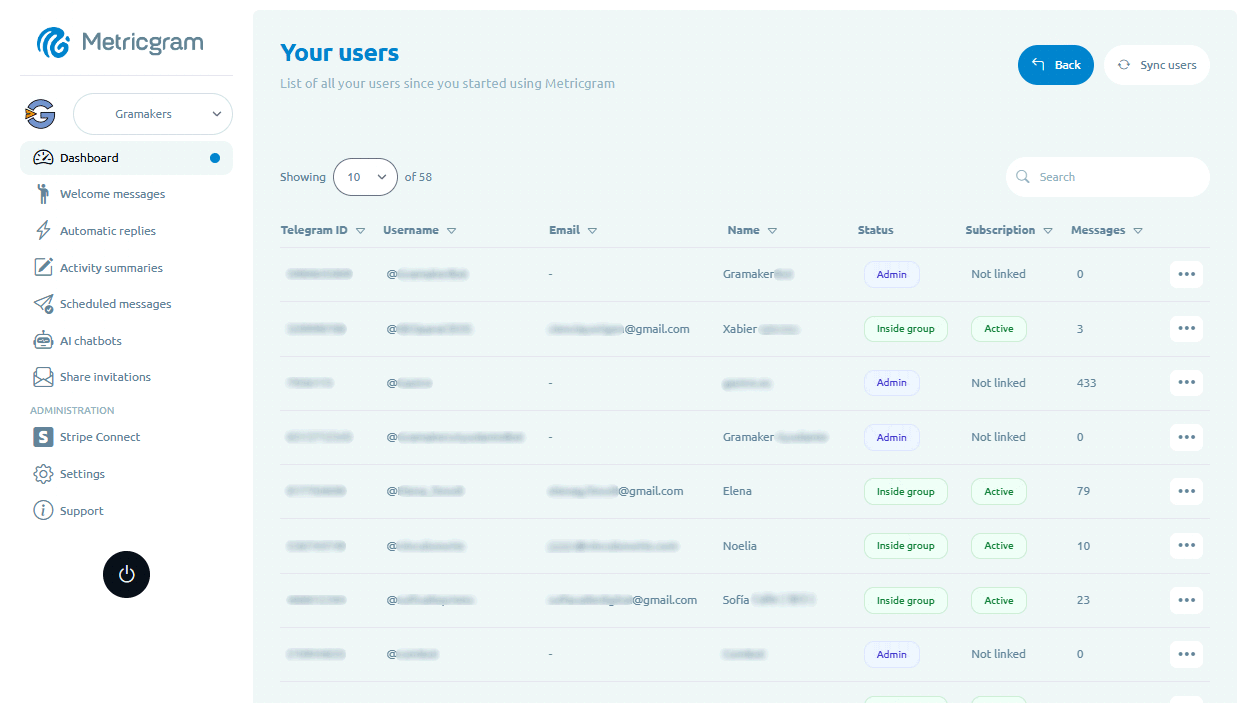
The automation: Connect your Stripe account. Metricgram automatically grants access when someone subscribes and revokes it when they cancel or their payment fails. No spreadsheets, no manual checks.
How it works:
- Member pays via your Stripe checkout link
- Metricgram detects the payment
- Member gets an invite link to the group
- When subscription expires → member is removed automatically
Time saved: If you have 50+ subscribers, manual access control can eat 30-60 minutes per week. More importantly, automated access control prevents the embarrassing situations where non-paying members hang around for weeks because you forgot to check.
The 30-Minute Setup
Here's how to automate your entire group in about 30 minutes:
- Connect your group to Metricgram — 2 minutes
- Set up a welcome message — 5 minutes
- Create 3-5 auto-replies — 10 minutes
- Schedule a week of content — 10 minutes
- Enable daily summaries — 2 minutes
- Turn on basic gamification — 5 minutes
After that half hour, your group runs itself for the routine stuff. You focus on the high-value work: creating great content, building relationships, and making strategic decisions.
What Not to Automate
Automation is powerful, but not everything should be automated:
-
Sensitive moderation decisions — Ban/restrict should usually involve human judgment. Metricgram's moderation queue follows this approach: it collects join requests, messages members flag with
/report, and likely spam for a moderator to review, and only deletes or mutes automatically if you opt in. - Personal conversations — Don't auto-reply to everything; some messages need a human touch
- Crisis management — When something goes wrong, show up personally
- Community building — Genuine interaction can't be faked
The goal isn't to remove yourself from the group. It's to remove yourself from the repetitive tasks so you can focus on the work that actually matters.
Start Now
Every day you spend manually doing what a bot could do is a day you're not spending on what actually grows your community.
Set up Metricgram in 30 minutes and see the difference. 14-day free trial, no credit card, no commitment. Just a better way to manage your Telegram group.
Related reading:
Ready to manage your Telegram group with Metricgram?
Automate tasks, track analytics, and grow your community with a 14-day free trial. No credit card required.
Start free trialGet weekly Telegram community tips
Join community managers who receive our best tips, guides, and product updates.
You may also like
Telegram Subscription Bot: How To Sell Access Without Manual Admin Work
Learn what a Telegram subscription bot should do, how payments and invite links fit together, and how to evaluate automation for a paid Telegram group or channel.
Telegram For Educators: How To Run Cohorts, Student Communities, And Office Hours Without Replacing Your LMS
Telegram is a strong fit for educators when it is used as the live layer around a course or training business. This guide explains how to use it for cohorts, student communities, office hours, and support without turning it into a substitute for your LMS.