
Telegram Group Analytics & Metrics
See membership changes and recorded group activity over time. Use the analytics dashboard and daily reports to compare periods, while remembering that collection begins when Metricgram receives the group's events and messages.
- Recorded joins, departures, messages, and reactions
- Member activity and message volume over selected dates
- Daily AI reports saved in your dashboard
- History windows based on your plan
How it works
Connect your group
Link your Telegram account and connect the group. Standard Bot API capture records supported membership and message activity as Metricgram receives updates; a separate optional extraction workflow may import available earlier messages.
Track your metrics
Choose a date range to review recorded membership changes, message volume, reactions, and member activity. The dashboard is based on data Metricgram has received, not a live reconstruction of every Telegram interaction.
Make better decisions
Compare periods to see what changed, then check the underlying conversation before attributing a change to a post or campaign. Analytics can describe activity patterns but cannot establish why a member joined or left.
Why you need Telegram group analytics
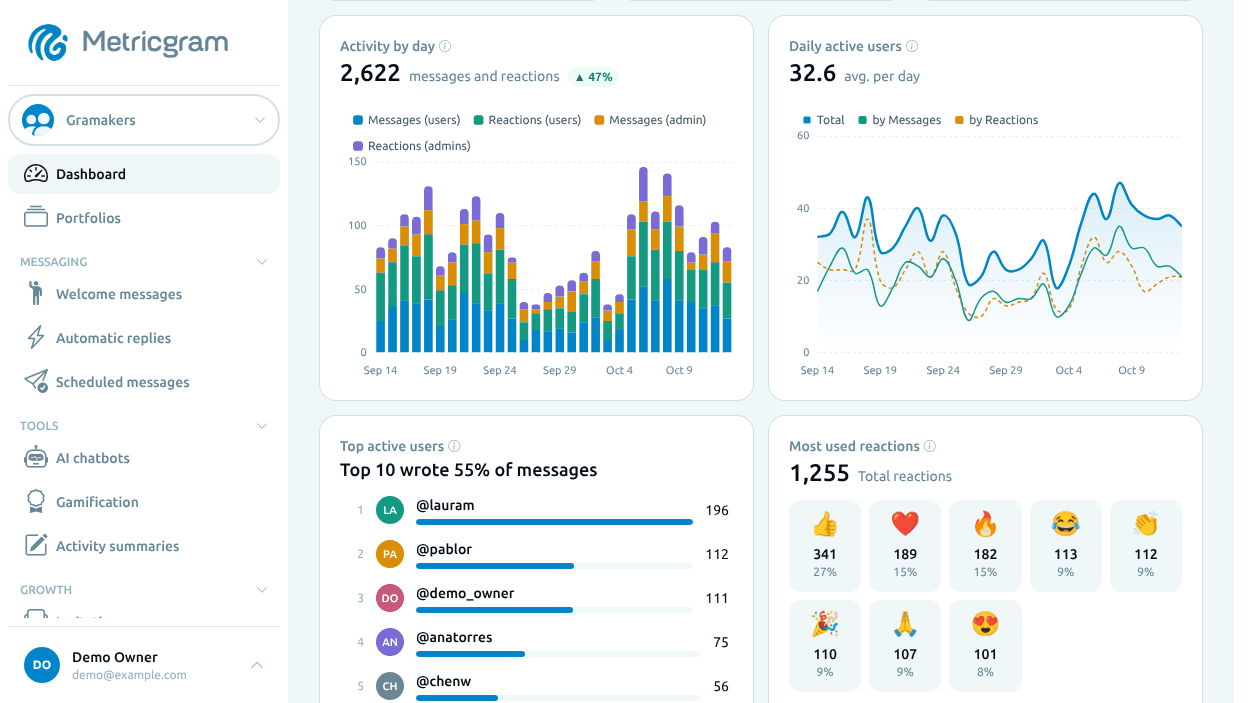
Read membership changes over time
Compare messages, reactions, and member activity
Detailed daily reports
Choose the right history window
Metricgram vs. Manual Management
| Metricgram | Manual | |
|---|---|---|
| Recorded membership changes | ||
| Message volume analytics | ||
| Growth trend charts | ||
| Automated daily reports | ||
| Per-member activity data | ||
| Message and reaction activity | ||
| Historical data analysis |
Frequently Asked Questions
What metrics does Metricgram track for Telegram groups?
Do I need to give Metricgram admin access?
How far back does the analytics data go?
Can I get reports automatically?
How do I track engagement in my Telegram group?
Can I export my analytics data?
Keep exploring
Find a practical guide, browse active communities or discover more ways to use Metricgram.
Guides
Blog
Read practical playbooks on growth, monetization, moderation, and Telegram community operations.
ExploreCommunity directory
Telegram Communities Directory
Browse active Telegram communities by category, language, and positioning.
ExploreSection hub
Solutions
See every page in this section side by side.
Explore